]Applesoft BASIC, in your browser
The BASIC that could have taken the market GW-BASIC owned —
two significant characters per variable name, six colours the display
half-invents, and floats that answer .1 + .2 with
.3 — rebuilt bugs-and-all as a real 16-bit DOS program and
run here under DOSBox. Nothing to install. Click a program below and it
loads and runs itself.
Start typing BASIC
The classic ] prompt, with a helper panel beside it:
one-click sample programs, commands to try, and the famous bugs explained.
Open the IDE
A windowed front end in 80×43 text mode — menu bar, editor, program listing, and a Machine pane showing zero page and the control stack. F5 runs, F10 opens the menus.
Open the IDE →The screen is the Apple's
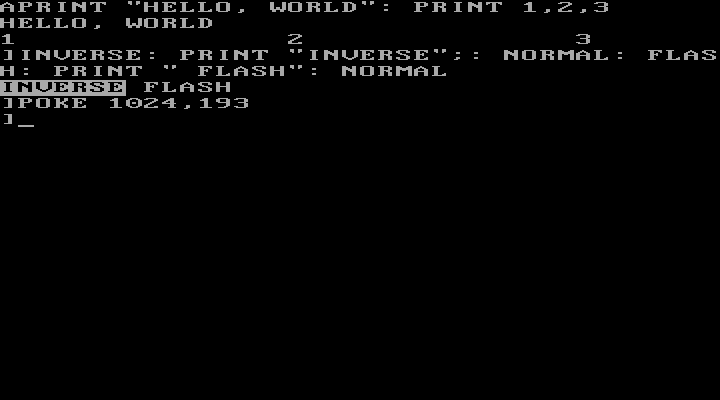
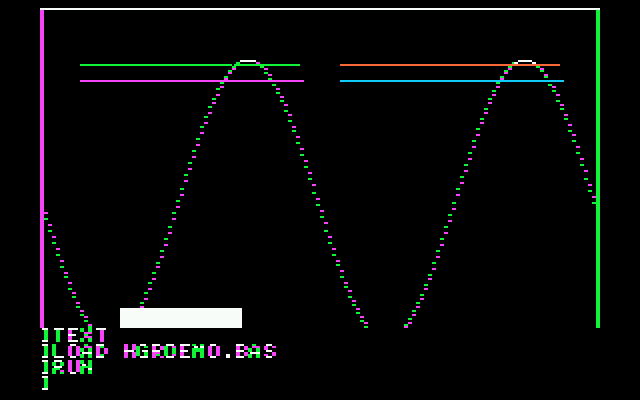
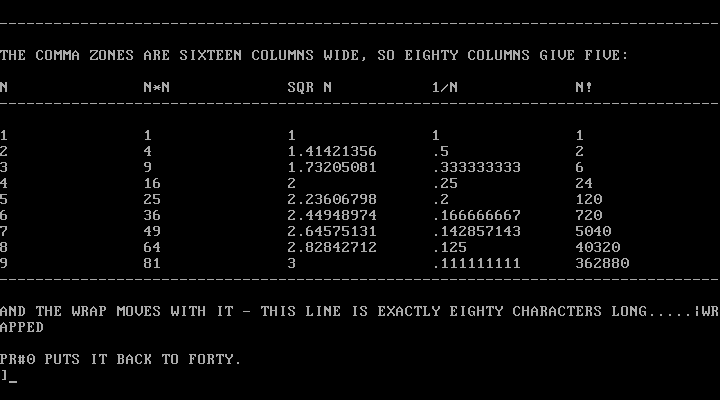
Forty columns, then HGR with the prompt in the four lines
under the picture, then PR#3. Real BIOS text modes and VGA mode
13h, painted from the Apple's own page memory.
One click, and it runs
Why the bugs are the point
Ask it for PRINT .1 + .2 and it says .3 — not because
anything is rounded for show, but because Applesoft carried nine significant
digits in its 5-byte floats, and that is what nine digits gives you.
Name a variable TOTAL and LIST shows it as
TO TAL, because the tokenizer finds the keyword hiding inside.
Trap errors in a loop and ONERR leaks a stack frame every time,
killing the program after exactly sixty of them, and
?OUT OF MEMORY ERROR is spelled exactly the way the machine
spelled it.
All of it is reproduced deliberately and checked against the genuine Applesoft ROM running in an Apple II emulator — seventeen of twenty test programs come out byte-identical, and the differential harness in the repository shows its work. Each misfeature can be switched off individually. This is an act of preservation, not nostalgia for its own sake.
Good to know
- Click the black screen before typing, so it takes your keyboard.
- Lower case is fine — keywords fold to upper case; text inside quotes keeps the case you typed.
PR#3is eighty columns andPR#0forty;GRandHGRkeep four lines of text under the picture, andHGR2hides the text screen, as the Apple did. TypeTEXTblind and press return to come back.Ctrl-Cstops a running program.- In the IDE:
F5run,F9list,F10menus, and the Samples menu loads any demo in one pick.